
On This Page
Why eCommerce SEO Mistakes Cost More Than You Think
Every SEO mistake on an eCommerce store has a direct monetary cost. Unlike a blog or informational site where poor SEO means fewer readers, an eCommerce site losing organic visibility is losing actual revenue every single day. When your product pages do not rank for the queries your customers are typing into Google, those customers buy from your competitors instead. There is no softer way to frame it.
In our experience auditing over 450 eCommerce businesses across South Africa — from Takealot Marketplace sellers and independent Shopify stores in Cape Town to large WooCommerce catalogues serving the Gauteng market — the same five mistakes appear with remarkable consistency. These are not obscure technical issues buried in server configurations. They are fundamental, structural problems that silently drain organic traffic month after month while store owners focus on paid advertising and social media campaigns that mask the underlying decline.
The compounding nature of SEO makes these mistakes particularly expensive over time. A product page that should rank position 3 for "cordless drill South Africa" but sits at position 18 because of thin content and missing schema is not just losing traffic today — it is missing out on the link equity, engagement signals, and ranking momentum it would accumulate if it were visible. Every month the mistake persists, the gap between where the page is and where it could be widens further.
Consider the mathematics. A single high-intent product keyword with 2,400 monthly searches and a position 3 ranking generates roughly 360 organic clicks per month. At even a conservative 2.5% conversion rate and R800 average order value, that is R7,200 in monthly revenue from one keyword on one product page. Multiply that across a catalogue of 500 products with similar keyword opportunities, and the cost of even modest ranking improvements becomes enormous — or conversely, the cost of leaving SEO mistakes unfixed becomes impossible to ignore.
South African Context: The eCommerce market in South Africa grew by over 30% in the past two years, with online retail now representing a significant share of total retail sales. Competition for organic visibility is intensifying rapidly. Stores that operated comfortably with mediocre SEO two years ago are now being displaced by competitors who have invested in proper technical and content optimisation. The window to fix foundational SEO mistakes before the competitive gap becomes insurmountable is narrowing.
Thin Content
Manufacturer copy on every product page
Site Structure
Poor crawl budget & faceted navigation issues
No Schema
Missing or broken structured data
Poor Linking
Products buried with no internal link equity
Wrong Intent
Product pages targeting informational queries
⚠️ Revenue Impact: A single high-intent keyword at position 3 = ~R7,200/month. Multiply across 500 products — the cost of unfixed mistakes becomes impossible to ignore.
Mistake 1: Thin or Duplicate Product Descriptions
This is the single most prevalent eCommerce SEO error we encounter, and it is the one with the most direct impact on rankings. Thin content refers to product pages with minimal unique text — typically a product name, a price, and either no description at all or a one-to-two sentence manufacturer blurb that has been copied identically across every retailer selling the same product. Duplicate content is the closely related problem of having multiple pages on your own site with identical or near-identical content, often caused by product variants, faceted navigation, or category cross-listing.

Google's quality algorithms are explicitly designed to identify and demote thin content. A product page with 30 words of generic description does not give Google enough information to determine what the page is about, whether it is authoritative on the topic, or whether it deserves to rank above competing pages that have invested in substantive, detailed product information. From Google's perspective, thin product pages are interchangeable with thousands of other thin pages across the web selling the same item — and there is no reason to reward any of them with prominent rankings.
The Real Cost of Manufacturer Copy
Using the manufacturer's standard description might seem efficient, but it creates a devastating duplicate content problem. If 200 retailers across South Africa are all using the identical product description provided by Bosch, Samsung, or Nike, Google has 200 pages with the same content competing for the same queries. Google will pick one to rank — typically the retailer with the strongest overall domain authority — and suppress the rest. If your domain is not the strongest in your niche (and for most stores, it is not), you are handing your rankings to your competitors by default.
How to Fix It
The fix is straightforward but requires investment: write unique product descriptions for your catalogue. Start with your top 50 to 100 products by revenue or search volume potential. Each description should be 150 to 300 words minimum for standard products and 300 to 500 words for competitive or high-value items. Cover the product's specifications in natural language, describe real-world use cases, address common pre-purchase questions, and include natural variations of your target keywords. For a South African audience, include local context such as pricing in rands, local delivery information, and compatibility with local standards.
For stores with thousands of SKUs where individual descriptions are impractical for every product, implement a tiered approach. Manually write descriptions for your top 10 to 20% of products. For the remaining catalogue, build keyword-rich description templates that dynamically pull in product attributes — brand, category, key specifications, and use cases — to generate unique content programmatically. This is far from ideal compared to hand-written content, but it is significantly better than blank descriptions or duplicated manufacturer copy.
Mistake 2: Ignoring Site Architecture and Crawl Budget
Site architecture — the hierarchical structure of how your pages are organised, linked, and categorised — is the invisible framework that determines how effectively Google can discover, crawl, and index your product pages. For small stores with 50 products, architecture rarely becomes a problem. For stores with 500 to 50,000 products, poor architecture is one of the top reasons products fail to appear in Google's index at all.
Crawl budget is the practical constraint at the heart of this issue. Google allocates a finite number of pages it will crawl on your site within a given period. For most eCommerce stores, this budget is more than sufficient to cover the actual product catalogue. The problem arises when faceted navigation, filter combinations, sorting options, and session-based URLs generate tens or hundreds of thousands of additional URLs that Google attempts to crawl. If your site generates 200,000 crawlable URLs from filter combinations but only has 3,000 actual products, Google is spending the vast majority of its crawl budget on pages that have no business being indexed.
Faceted Navigation: The Silent Killer
Faceted navigation — the filter sidebar that lets users narrow products by brand, price range, colour, size, and other attributes — is essential for user experience but devastating for SEO when improperly implemented. Every filter combination generates a unique URL. A category with 5 brand options, 8 colour options, 4 size options, and 3 price range options creates 480 possible URL combinations from a single category page. Across 20 categories, that is 9,600 additional URLs — most of which contain duplicate or near-duplicate content.
How to Fix It
The solution involves three complementary approaches. First, implement canonical tags on faceted navigation URLs, pointing them back to the base category page. This tells Google that the filtered page is a variant of the main category, not a separate page deserving its own index entry. Second, use robots.txt to block Googlebot from crawling the most problematic filter combinations entirely — particularly multi-filter combinations that generate near-empty result pages. Third, ensure your XML sitemap only includes the pages you actually want indexed: product pages, category pages, and key content pages. Remove all faceted URLs, pagination URLs, and internal search result pages from the sitemap.
Architecture Rule of Thumb: Every product page on your store should be reachable within 3 clicks from the homepage. If a product requires 5 or more clicks to reach through navigation, Google assigns it minimal crawl priority and internal link equity. Use a tool like Screaming Frog to map your site's click depth and identify products that are buried too deep in the hierarchy. Flatten your structure where needed by adding subcategory links, improving breadcrumb navigation, or featuring products on higher-level pages.
Mistake 3: Missing or Incorrect Schema Markup
Schema markup — specifically Product, Offer, and AggregateRating structured data — is no longer optional for eCommerce SEO. It is the mechanism that enables rich results in Google Search: star ratings, pricing, availability status, and review counts displayed directly in the search results. These rich snippets are not cosmetic enhancements. They consistently generate 15 to 30% higher click-through rates than standard blue links at the same ranking position. A store without Product schema is voluntarily surrendering a significant click-through advantage to every competitor that has it.

The problem is not usually the complete absence of schema — most modern eCommerce themes and platforms include some form of structured data by default. The problem is that the schema is incomplete, incorrectly implemented, or broken in ways that prevent Google from generating rich results. Common issues include missing required properties (price and availability are frequently omitted), schema that references products no longer in stock without updating the availability property, aggregateRating values that do not match the actual reviews displayed on the page, and JSON-LD syntax errors that invalidate the entire markup block.
The Most Common Schema Errors
- Missing Offer data: Product schema without an embedded Offer that includes price and priceCurrency will not generate price-related rich results. Google requires an Offer or AggregateOffer to display pricing in SERPs.
- Availability not updated: Products that go out of stock but retain an "InStock" availability value in their schema create a trust signal mismatch. Google may suppress rich results entirely for sites with persistent availability accuracy issues.
- AggregateRating without reviews: Adding an aggregateRating to schema before your product has actual reviews is a violation of Google's structured data guidelines. Google will issue a manual action if it detects fabricated review data in schema markup.
- JSON-LD syntax errors: A single missing comma, bracket, or quotation mark in your JSON-LD block invalidates the entire schema. Because schema is invisible to users on the page, these errors often go undetected for months.
How to Fix It
Run every product page template through Google's Rich Results Test at search.google.com/test/rich-results. This tool shows exactly which properties Google detected, which are eligible for rich results, and any errors or warnings. Fix issues at the template level — since eCommerce product pages share a common template, a schema fix deployed to the template applies to every product simultaneously. Ensure your schema dynamically pulls accurate data for price, availability, brand, SKU, and reviews from your product database rather than using hardcoded values that become stale.
Mistake 4: Poor Internal Linking Strategy
Internal linking is the mechanism through which ranking authority flows between pages on your site. Your homepage — typically your highest-authority page — passes link equity to category pages, which pass it to subcategory pages, which pass it to product pages. The strength of signal each product page receives is directly proportional to how many internal links point to it and how many clicks away it sits from the homepage. Most eCommerce stores have passable top-level navigation linking but dramatically under-link at the product level, creating authority deserts where individual products receive almost no internal ranking signal.
The symptoms of poor internal linking are predictable: products that appear in navigation and category listings rank reasonably well, while products that are only accessible through search or deep pagination rank poorly or not at all. If your store has 3,000 products but only 200 appear on the first page of their respective category listings, the remaining 2,800 are receiving a fraction of the internal link equity they need to compete in search results.
Where Internal Linking Falls Apart
Three areas consistently cause internal linking failures in eCommerce stores. First, paginated category pages — products on page 5 or later of a category listing receive exponentially less internal link equity than products on page 1. Second, orphaned product pages — products that exist in the catalogue but are not linked from any category, collection, or content page. These pages are functionally invisible to Google's crawl process. Third, missed contextual linking opportunities — blog posts, buying guides, and informational content that could link to relevant products but do not.
How to Fix It
Implement a structured internal linking strategy across four layers. First, ensure every product is assigned to at least one category and appears in that category's product listing. Second, add "related products," "frequently bought together," and "customers also viewed" sections to every product page — these generate natural internal links between topically related products using keyword-rich anchor text. Third, create content that links to products: buying guides, comparison articles, and how-to posts that reference and link to specific products in context. Fourth, add breadcrumb navigation that reflects your category hierarchy and provides an additional internal link path from every product back through its parent categories to the homepage.
Quick Win: Run a crawl audit with Screaming Frog or Sitebulb and filter for pages with zero or one internal links. These orphaned or near-orphaned pages represent the lowest-hanging fruit in your internal linking strategy. Adding even 3 to 5 internal links to each orphaned product page from relevant category pages, related products, or blog content can produce measurable ranking improvements within weeks.
Mistake 5: Not Optimising for Search Intent
Search intent — the underlying goal behind a user's search query — is the factor that determines whether your page even qualifies to rank for a given keyword, regardless of how well optimised it is technically. Google's ranking algorithms have become remarkably sophisticated at classifying queries by intent and matching them with pages that satisfy that intent. If your product page targets a keyword with informational intent, or your category page targets a keyword with transactional intent, the page will not rank — not because of a technical deficiency, but because it is the wrong type of content for the query.
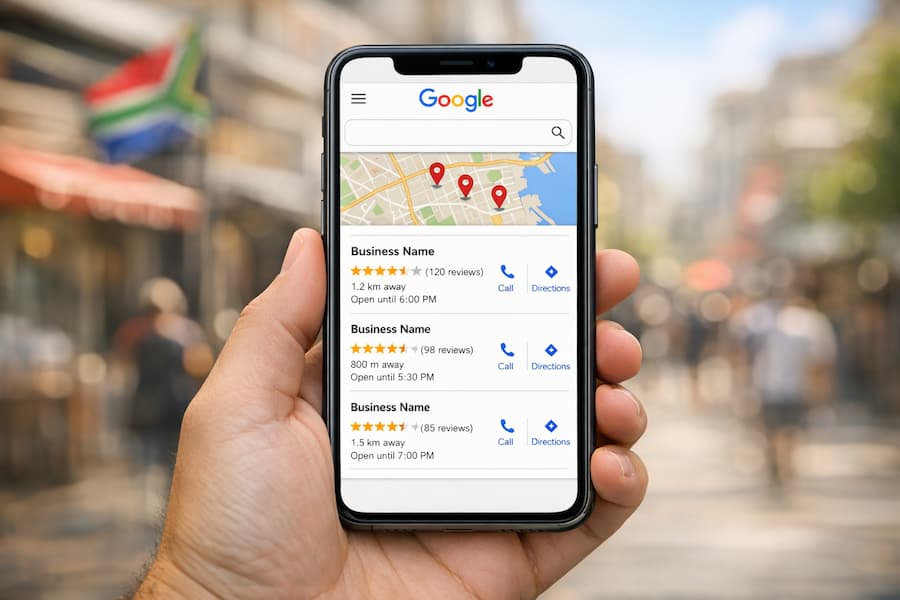
eCommerce stores make intent mismatches in both directions. The most common is optimising product pages for informational queries that Google serves with blog posts, guides, and how-to content. A product page for a running shoe will struggle to rank for "how to choose running shoes" because Google has determined that searchers using that query want educational content, not a product listing. The reverse also occurs: stores publish blog content targeting transactional keywords like "buy Nike Air Max 90 South Africa" when Google clearly ranks product and category pages for that query.
How to Identify Intent Mismatches
The simplest and most reliable method for identifying search intent is to search for your target keyword in Google and examine the results on page 1. If the top 10 results are all blog posts and guides, the intent is informational — do not try to rank a product page for that query. If the results are product pages and category listings, the intent is transactional — optimise your product or category page accordingly. If results are mixed, there may be room for either approach, but align with the dominant content type for the safest strategy.
How to Fix It
Map every target keyword to the correct page type based on intent analysis. Informational keywords ("best cordless drills for home use," "how to maintain a leather sofa") should target blog posts or buying guides that link to relevant product pages. Transactional keywords ("buy Bosch GSB 18V cordless drill," "leather sofa Johannesburg") should target product or category pages with strong commercial content. Navigational keywords ("Takealot cordless drills," "Builders Warehouse drill prices") are typically brand-specific and should target your most authoritative relevant page. Build a keyword intent map for your top 200 keywords and ensure each one is assigned to the right content type and URL.
How to Audit Your eCommerce Store for These Mistakes
A systematic audit is the only reliable way to identify which of these five mistakes are actively affecting your store. Ad hoc spot-checking catches obvious issues but misses the structural, site-wide patterns that cause the most damage. Here is the audit framework we use across our eCommerce SEO campaigns.
Step 1: Content Audit
Crawl your entire site with Screaming Frog or Sitebulb and export a list of all product pages. For each page, check the word count of unique content (excluding navigation, header, footer, and boilerplate template elements). Flag every page with fewer than 100 words of unique content as "thin." Then run a duplicate content analysis — most crawl tools can identify pages with high content similarity scores. Any cluster of pages with 85% or higher content overlap needs to be resolved through rewriting, consolidation, or canonical tagging.
Step 2: Architecture and Crawl Audit
Using your crawl data, analyse click depth — the minimum number of clicks required to reach each page from the homepage. Identify all pages at depth 4 or greater and evaluate whether they should be made more accessible through navigation improvements. Export the list of all URLs Googlebot is discovering (use your server logs or Google Search Console's crawl stats report) and compare it against your sitemap. If Google is crawling thousands of URLs not in your sitemap (faceted navigation, sort parameters, session URLs), you have a crawl budget problem that needs to be addressed with robots.txt rules, canonical tags, or noindex directives.
Step 3: Schema Validation
Test a representative sample of product pages — at minimum 10 to 15 pages across different categories and templates — in Google's Rich Results Test. Document any errors or warnings. Check that price, availability, brand, and review data are dynamically populated and accurate. Cross-reference the schema data with what is displayed on the page to identify any mismatches between structured data and visible content.
Step 4: Internal Link Analysis
Use your crawl tool's internal link report to identify pages with the fewest inbound internal links. Sort product pages by internal link count and focus on pages with fewer than 3 internal links. Check whether high-value products are featured prominently in category listings or buried in deep pagination. Review your blog content for contextual linking opportunities to product pages.
Step 5: Intent Mapping
For your top 100 target keywords, perform a SERP analysis to classify each keyword by intent. Compare the content type ranking on page 1 (product pages, category pages, blog posts, videos) with the content type you have assigned to that keyword. Flag any mismatches and plan content adjustments or new content creation to align with intent.
The Fix: A Systematic Approach
Fixing eCommerce SEO mistakes is not a one-time project — it is an ongoing operational discipline. The stores that consistently outperform their competitors in organic search are not doing anything revolutionary. They are executing the fundamentals correctly and continuously, treating SEO as a core business function rather than an occasional project.
Prioritisation Framework
Not all fixes deliver equal returns, and resources are finite. Prioritise based on a simple impact-effort matrix. High-impact, low-effort fixes come first: schema corrections, canonical tag implementation, and robots.txt updates can often be deployed in a single day and affect the entire catalogue instantly. High-impact, high-effort fixes come second: rewriting product descriptions for your top 100 products is time-intensive but directly improves rankings for your highest-revenue pages. Low-impact fixes — regardless of effort — come last or are deprioritised entirely.
Implementation Timeline
For a store addressing all five mistakes, a realistic timeline is as follows. Weeks 1 to 2: Complete the audit, document all issues, and build the prioritised fix list. Weeks 3 to 4: Implement technical fixes — schema corrections, canonical tags, robots.txt updates, sitemap cleanup, and architecture improvements. Weeks 5 to 12: Content improvements — rewrite product descriptions in priority order, create supporting blog content with internal links to key products, and build out the intent-aligned content map. Month 4 onward: Ongoing monitoring, measurement, and iteration based on ranking and traffic data from Google Search Console.
Results You Can Expect: Based on our work with South African eCommerce stores across industries including fashion, electronics, home and garden, and industrial supplies, stores that systematically address all five of these mistakes typically see a 40 to 120% increase in organic traffic within 6 months. The variation depends on the severity of the issues, the competitiveness of the market, and the store's existing domain authority. The revenue impact is even more pronounced because the additional traffic comes from high-intent commercial queries with strong conversion potential.
The eCommerce SEO landscape in South Africa is becoming more competitive every quarter. Stores that address these five foundational mistakes now will compound their advantage over the coming years. Stores that continue to ignore them will find it progressively more difficult — and more expensive — to recover lost ground as competitors build the organic visibility, link equity, and content depth that Google rewards with sustained rankings.
Frequently Asked Questions
The most common SEO mistake eCommerce stores make is using thin or duplicate product descriptions. Many stores copy manufacturer descriptions verbatim, resulting in hundreds of pages with identical or near-identical content. Google classifies these as low-quality pages and either de-prioritises them or excludes them from the index entirely. Writing unique, detailed descriptions for at least your top-performing products is the single highest-impact fix for most eCommerce stores.
Crawl budget is the number of pages Googlebot will crawl on your site within a given timeframe. For large eCommerce stores with thousands of products, faceted navigation and filter combinations can generate tens of thousands of additional URLs. If Google spends its crawl budget on these low-value filtered URLs instead of your actual product pages, important products may not get indexed or updated in search results. Managing crawl budget through robots.txt, canonical tags, and noindex directives on non-essential pages ensures Google focuses on the pages that generate revenue.
Yes, you should implement Product schema markup on every product page. Schema is typically applied at the template level in platforms like WooCommerce, Shopify, or Magento, so once you configure it correctly on the product page template, it applies to every product automatically. The markup enables rich results in Google Search — star ratings, pricing, and availability — which consistently improve click-through rates by 15 to 30% compared to standard listings.
There are three primary approaches. First, use canonical tags to point duplicate or variant pages to a single preferred URL. Second, consolidate product variants (colours, sizes) onto a single product page with a variant selector instead of creating separate URLs. Third, write unique content for pages that genuinely deserve their own URLs. For faceted navigation duplicates, use robots.txt or meta noindex to prevent Google from indexing filter combination pages.
A comprehensive eCommerce SEO audit should be conducted quarterly at minimum, with automated monitoring running continuously. Product catalogues change frequently — new products are added, old ones are discontinued, prices change, and stock levels fluctuate. Each change can introduce SEO issues if not managed properly. Use tools like Screaming Frog or Sitebulb for quarterly crawl audits, and set up Google Search Console alerts for indexation errors and coverage issues as an ongoing monitoring layer.
About NexusSEO
We're a premium SEO agency based in South Africa with 18+ years of experience. We've helped 450+ businesses rank on Google and generate millions in organic revenue. Specialising in eCommerce and professional services SEO across KwaZulu-Natal, Gauteng, and the Western Cape.
Learn More About UsRelated Articles
eCommerce SEO
SEO for Product Pages: How to Rank Thousands of Products
Optimise product titles, descriptions, schema, and internal linking at scale.
Technical SEO
Technical SEO Checklist: 50 Things Google Cares About
The complete technical audit checklist for crawlability, indexation, and performance.
Technical SEO
Page Speed & SEO: Why Your Site is Losing Rankings
Core Web Vitals, image optimisation, and performance fixes that improve rankings.
Stop Losing Revenue to SEO Mistakes
Get a free eCommerce SEO audit. We'll identify exactly which mistakes are costing you rankings and revenue.
GET FREE ECOMMERCE AUDITGet Your Free SEO Audit
Submit your details and we'll analyse your website's SEO performance within 24 hours.